Pixelate Zoomed-In Images in Chrome
Chrome blurs images when you zoom in. Enhanced Image Viewer lets you disable image smoothing to view crisp, pixelated images - perfect for pixel art.
December 31, 2025
Why Chrome Makes Zoomed Images Blurry
When you zoom in on images in Chrome, especially pixel art and low-resolution graphics, the image becomes increasingly blurry. The more you zoom, the worse it gets.
This happens because Chrome automatically applies image smoothing when scaling images. While this makes photographs look better at different sizes, it ruins the crisp appearance of pixel art and other images where sharp edges are important.
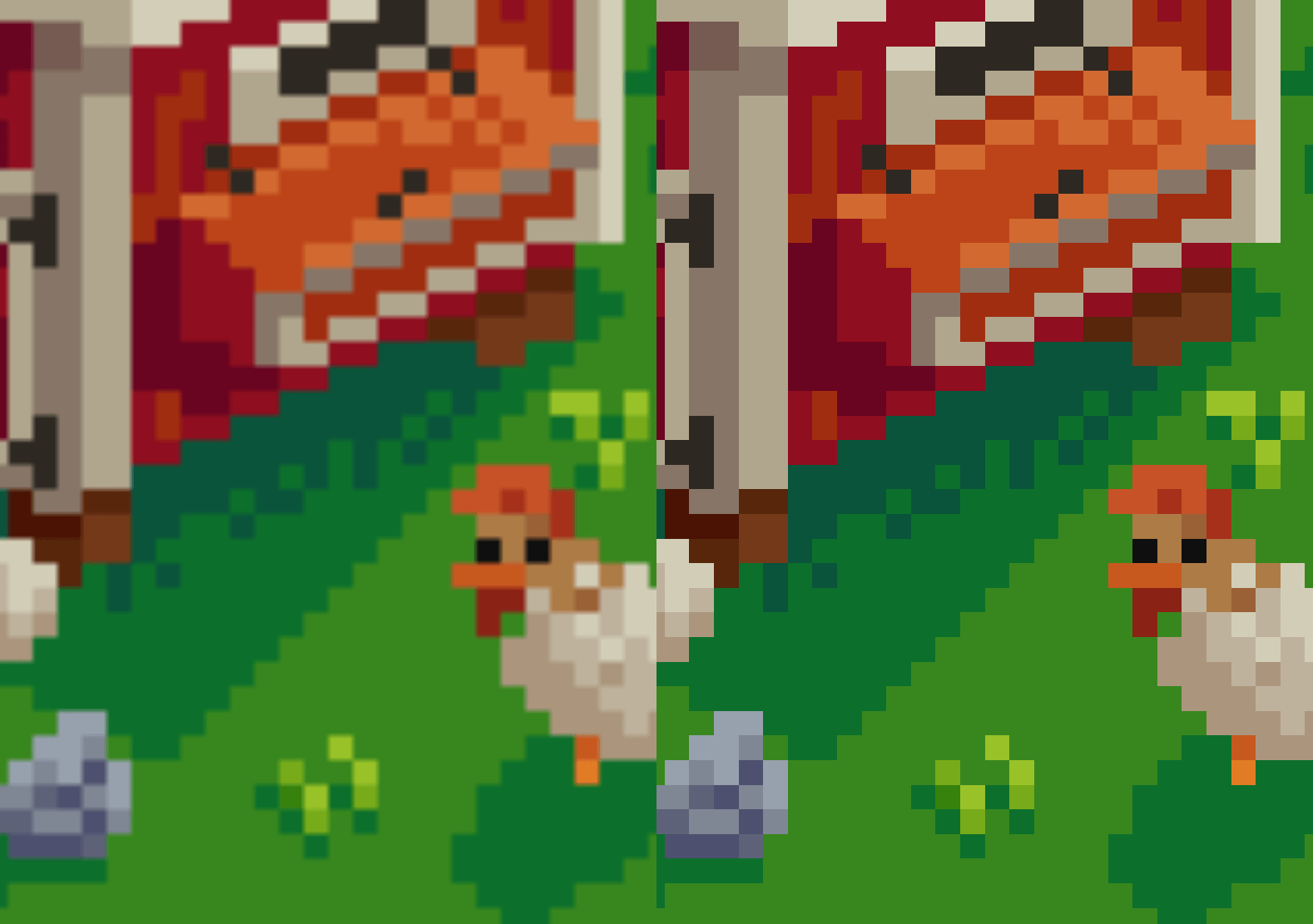
Get Crisp, Pixelated Images Instead
Enhanced Image Viewer gives you control over image smoothing. With the extension installed, you can disable smoothing to view images in their true pixelated form - perfect for:
- Pixel art and retro game graphics
- Screenshots and UI mockups
- Low-resolution images that need to stay sharp
- Any image where you want to see the actual pixels
The extension preserves the crisp, blocky look of pixels when you zoom in, letting you examine images exactly as they were intended to be displayed.
Install Enhanced Image Viewer and get pixel-perfect image viewing. It’s free and works immediately.